











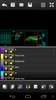

DWG FastView - CAD Viewer&Editor is a CAD file viewing and editing app with which you can open, review, and modify technical drawings directly from your smartphone. It is aimed at engineers, architects, designers, and technicians who need to access DWG and DXF files from anywhere, without relying on a computer; it also offers a lightweight environment with advanced features. It's also designed so that anyone interested in this subject can perform their tests comfortably from their sofa at home, without having to resort to a PC.
Compatible with DWG and DXF files and standard CAD formats
DWG FastView - CAD Viewer&Editor can open DWG and DXF files in multiple versions, allowing you to work seamlessly with drawings created in AutoCAD and other CAD programs. It maintains 2D and 3D drawings, layers, blocks, text styles, and dimensions, ensuring that every element of the project is preserved exactly as it was designed. This broad compatibility ensures that you can review or edit your files without losing structure or data, regardless of the original CAD tool. This way, you will be able to integrate, update, and continue your projects with total fidelity to the original file.
Works with all kinds of tools
This app offers zoom, panning, rotation, and layer navigation tools that facilitate the detailed analysis of technical plans. You will be able to activate or deactivate layers, measure distances and areas, and view entity properties. On the other hand, DWG FastView - CAD Viewer&Editor includes editing functions that allow you to modify entities, add text, draw lines, insert blocks, and make annotations directly on the drawing. Thanks to this, you can mark changes, correct errors, and add observations without opening the project on your PC.
My thoughts on DWG FastView - CAD Viewer&Editor
After giving DWG FastView - CAD Viewer&Editor a try, I found it to be a fairly complete tool for smartphones. It opened the largest DWG files pretty quickly, and layer navigation was also pretty smooth. Its editing features are fine for quick reviews and corrections, but they are no substitute for CAD software, so if you need something more elaborate, you will have to do it on your desktop computer.
The best and the worst of DWG FastView - CAD Viewer&Editor
• What I liked most was its compatibility with professional CAD formats and its ability to open complex files very quickly.
• What I liked least was that the advanced editing features were somewhat limited compared to desktop CAD software.
Download DWG FastView - CAD Viewer&Editor for free to start viewing, editing, and managing CAD drawings from your smartphone with this professional tool designed specially for engineers, architects, and technicians.
DWG FastView - CAD Viewer&Editor is for you if
✓ You need to open and review DWG/DXF technical drawings anywhere without a computer
✓ You value full compatibility that preserves 2D/3D geometry, layers, blocks, and dimensions from desktop CAD
✓ You want mobile tools to measure, edit, and annotate plans for quick reviews and corrections
Requirements (Latest version)
- Android 6.0 or higher required
Comments
Good
That's fantastic, CAD reader. Huge thanks to the developers.
👍 good 👍
Excellent
Excellent app
A good application for construction engineers but requires more practice to apply it better